Tabify Web Part

Tabify Web Part
A SharePoint web part that converts multiple web parts into a clean tabbed interface, so the page stays functional instead of cluttered.
Key Features
- Works with any web parts below the tabify web part on the page
- Tabs can be re-ordered and renamed
- Key feature or capability 3
- Key feature or capability 4
Project Progress
Overview
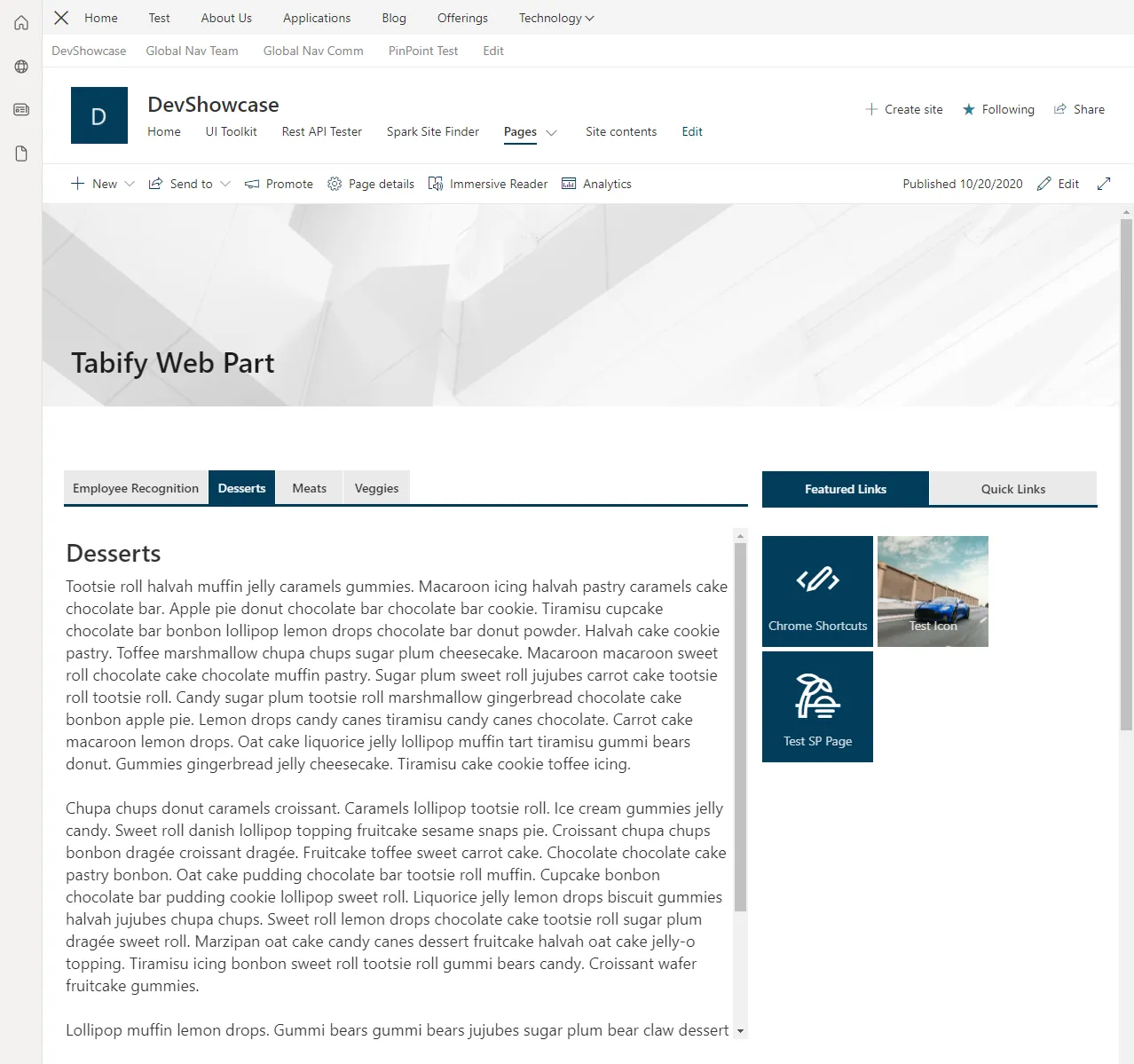
The Tabify Web Part sits above other web parts in a page section and automatically converts each one below it into its own tab.
It was a flexible concept because it worked with any web part placed beneath it. The implementation relied on a small amount of DOM manipulation, which can raise eyebrows, but we built and tested our web parts in-house extensively, and it proved to be stable and reliable.
The result was a significant space saver that enabled more creative and efficient page layouts, often outperforming some of the standard out-of-the-box approaches.
Technical Details
Architecture
- Frontend: React, TypeScript, Styled Components, SharePoint Framework (SPFx), Fluent UI React
- Deployment: SharePoint Online
Features
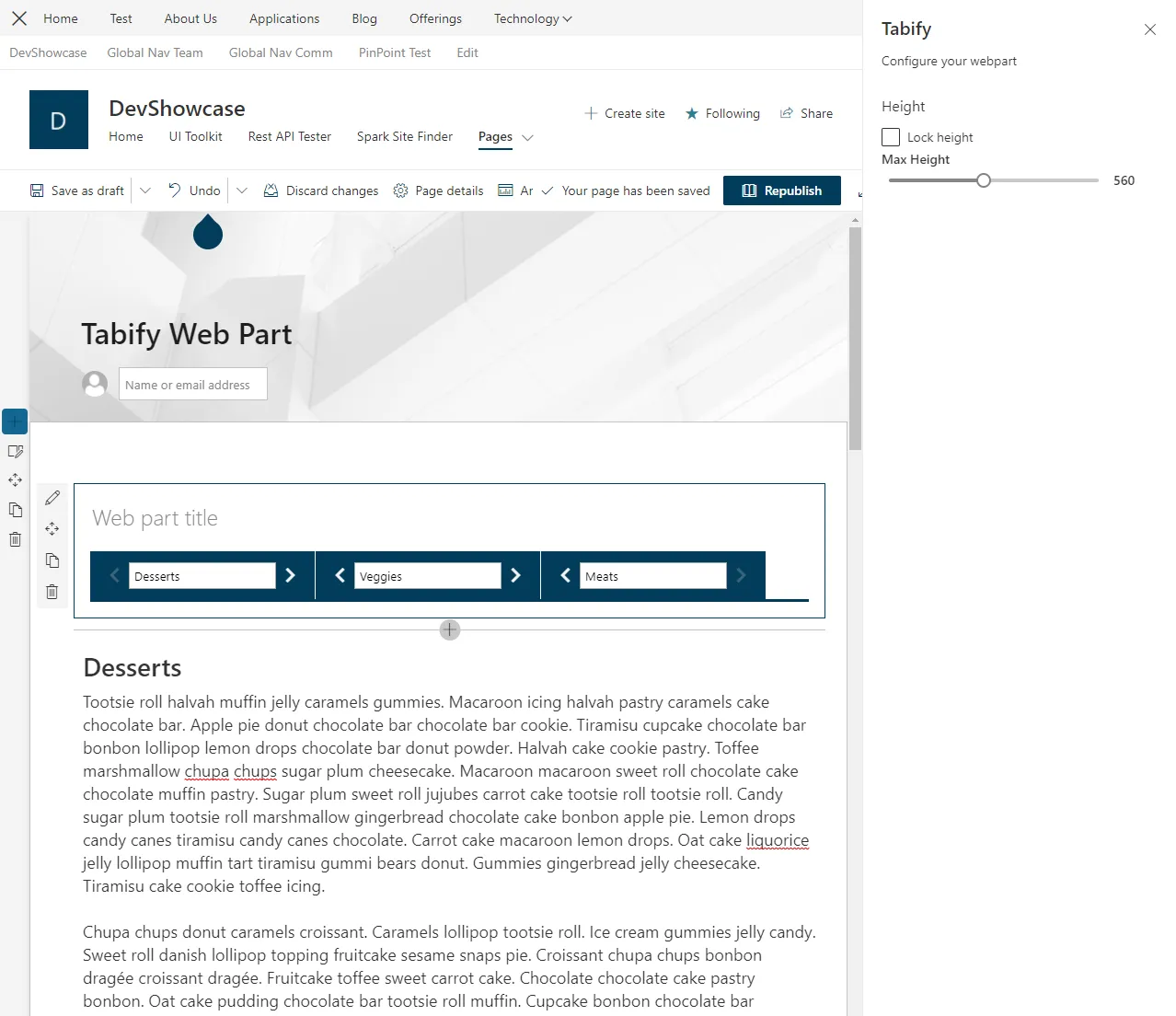
Tab reordering and renaming
The primary feature allowed page editors to name each tab and reorder them, giving them full control over how the tabbed interface looked and behaved.
Conclusion
The Tabify Web Part was highly utilitarian and genuinely enhanced the web parts it wrapped. Instead of replacing existing components, it extended them, giving page editors real layout flexibility and what felt like layout superpowers.
We saw a gap in Microsoft’s standard layout options and built a solution to fill it. It quickly proved its value, was adopted widely internally, and we turned it into a product that we sold to clients.