Pinpoint Custom Search Web Parts
Pinpoint Custom Search Web Parts
SharePoint Framework Web Parts built to allow for searching, filtering, and displaying data from a variety of sources.
Key Features
- Data Providers: SharePoint Lists, JSON, and more
- Results Web Part: displays the results from the data providers in a list, grid, or custom layout
- Filter Web Part: allows for filtering the data from data providers and passes the filtered data to the results web part
- Completely configurable filtering, sorting, and displaying content
Project Progress
Overview
The Pinpoint Suite was a collection of custom search result web parts designed to deliver a fully tailored search experience.
It supported advanced filtering and flexible display configurations, allowing us to control exactly how results were surfaced. The goal was simple: make it adaptable enough to work across nearly any client scenario without rebuilding from scratch.
We were initially inspired by the Patterns and Practices search web parts, but they felt constrained and lacked the flexibility we needed. So we built our own, with expanded features and significantly greater customization.
Technical Details
Architecture
- Frontend: React, TypeScript, Styled Components, SharePoint Framework (SPFx), Fluent UI React, SquirrellyJS Templating Engine
- Deployment: SharePoint Online
- APIs: SharePoint REST API, Microsoft Graph API
Features
Feature 1: Refiner Panel Web Part
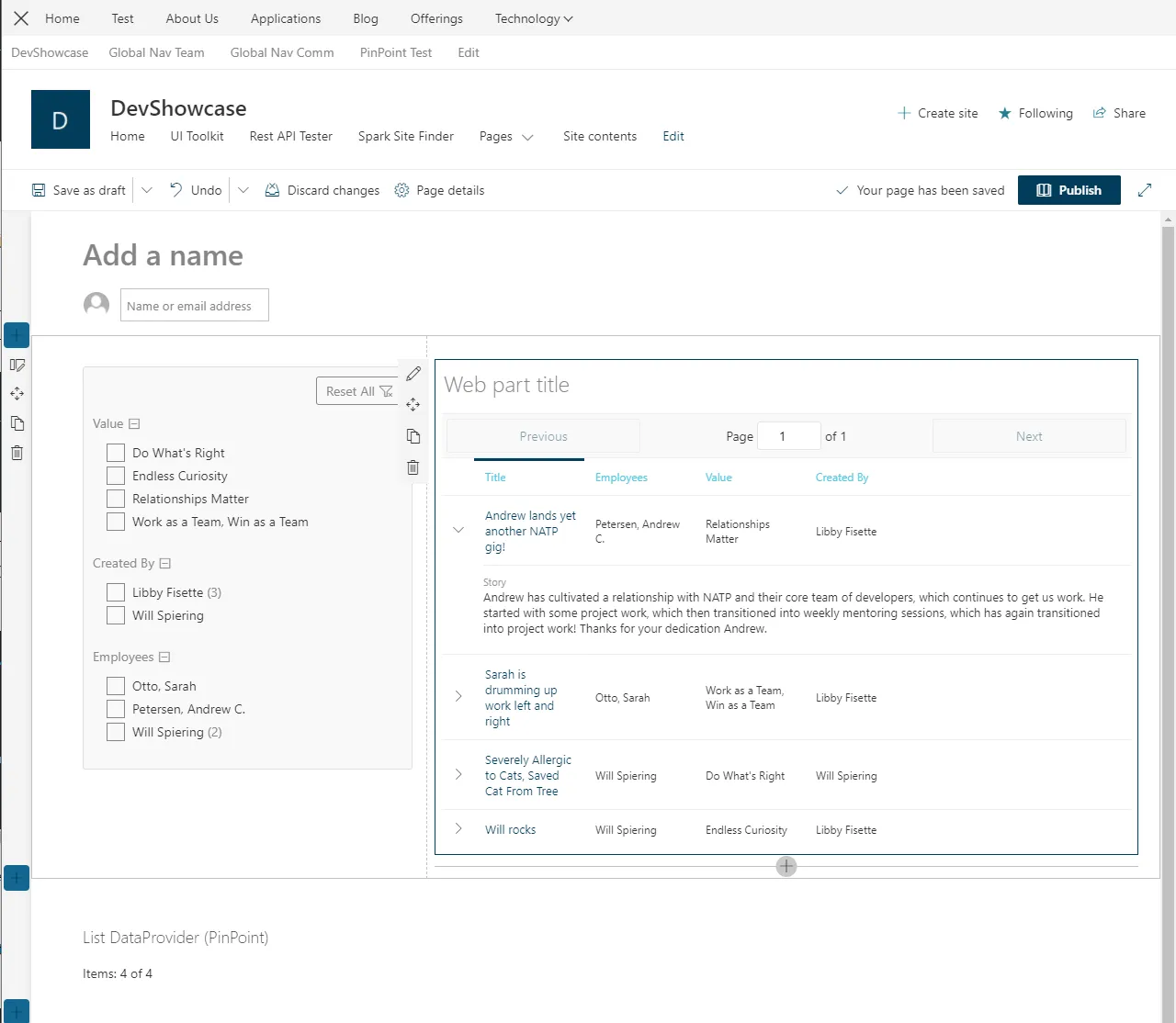
The refiner panel was a web part that was used to build filtering options that were used to filter the search result web part. The refiner panel would take the data from whatever the data provider was and allow for filtering that data that would then render it inside of the result web part.
Page editors could choose exactly which fields appeared in the refiner panel, adjust their order, and define their types.
Everything was fully configurable, allowing the filtering experience to be tailored to the specific data being displayed in the search results.
Feature 2: Table Results Web Part
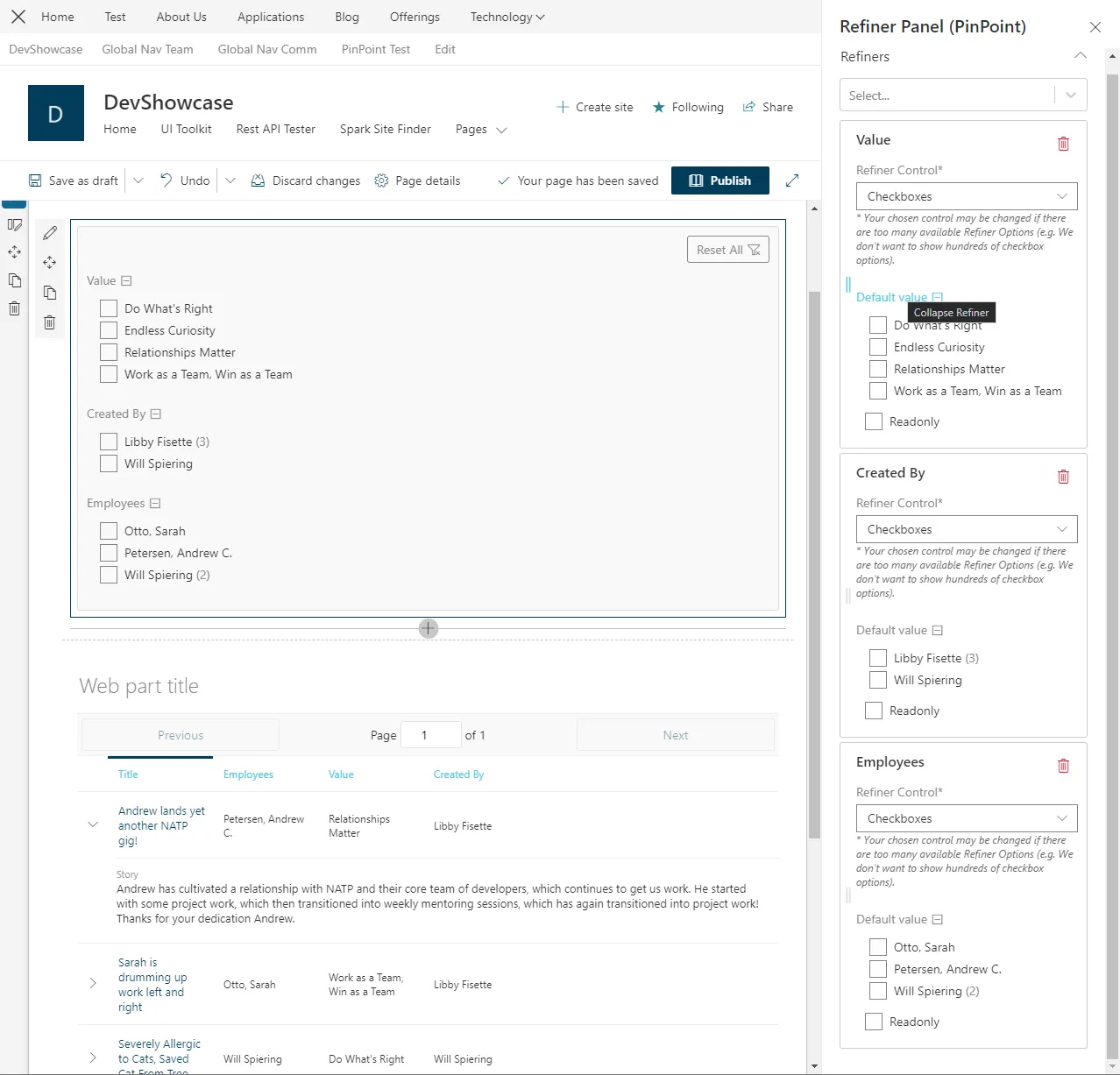
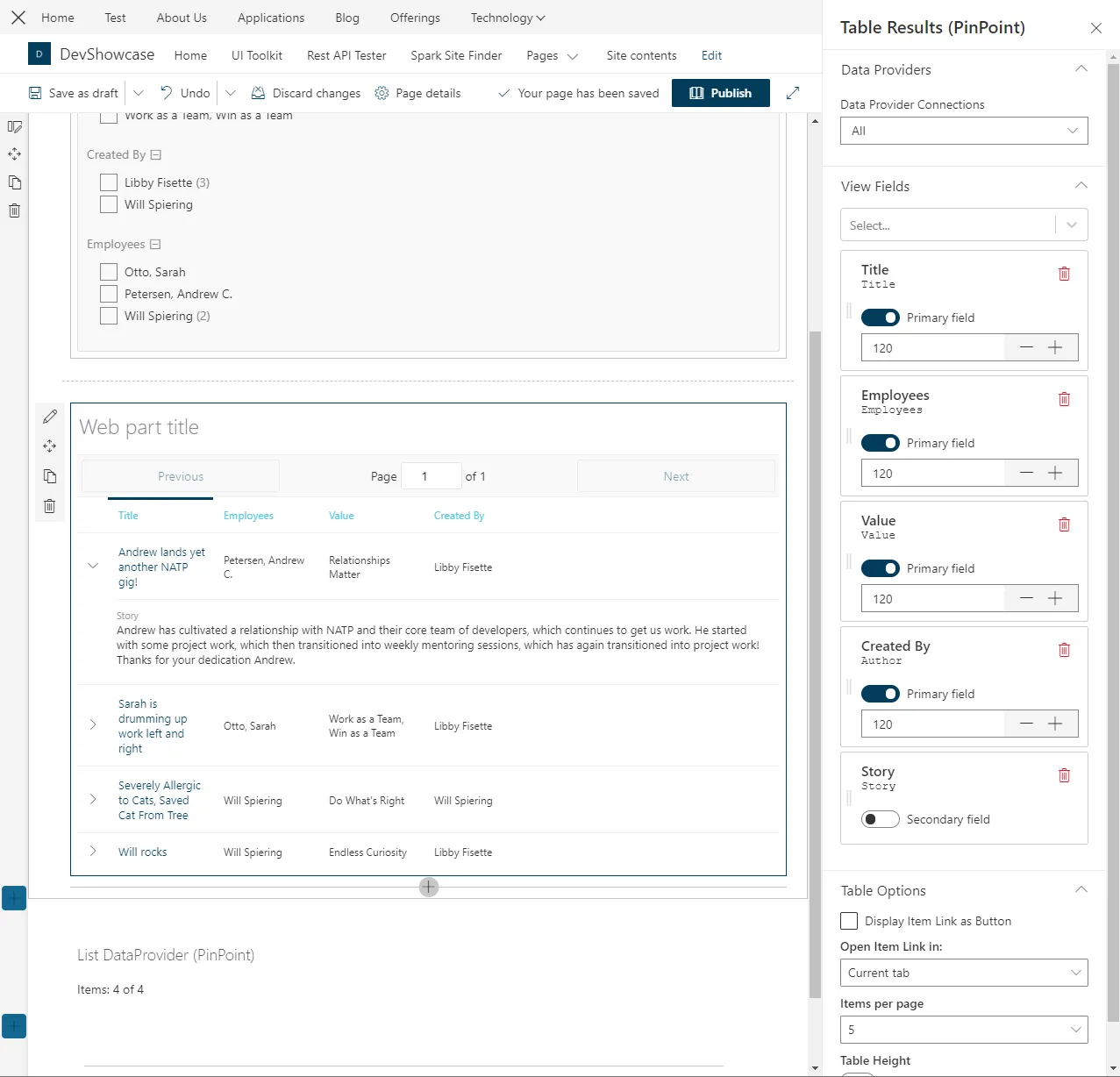
The Table Results View web part was completely configurable, so you could select:
- Which fields of data you want to actually show up.
- The order you want them to show up on the table.
- The type of data and how you want each field and column to render It was just a very configurable table view of the data that you get from the Refiner panel.
Development Process
Lessons Learned
- This was my first SharePoint framework project where I had to learn how to have multiple separate web parts communicating with one another to work together for a cohesive experience. That was a very interesting lesson, and it was very complicated, but it was a very great learning experience, and we were able to deliver some really impressive results to our clients this way.
- I learned a lot about how to map data and get everything massaged and into the right places, into the right format so that it could be read and handled by multiple web parts to do different things.
- I learned a new templating language called Squirrelly, which was very similar to Handlebars, but we were using it inside of our search results so that we could customize however we wanted to render the data in the table results view or our other results views. This is what really made the web parts in PinPoint so reusable for any client and any scenario. We wouldn’t have to reinvent the wheel. We were able to use this web part and customize it with the Squirrely templating.
Conclusion
I was really proud to take part in this project. There was a ton of user experience and UI work that needed to be done, and so many considerations had to be made for this to be an extraordinarily flexible web part that could be used for not just us internally, but also for any client in any industry and for almost any use case.