Calendar Web Part
Calendar Web Part
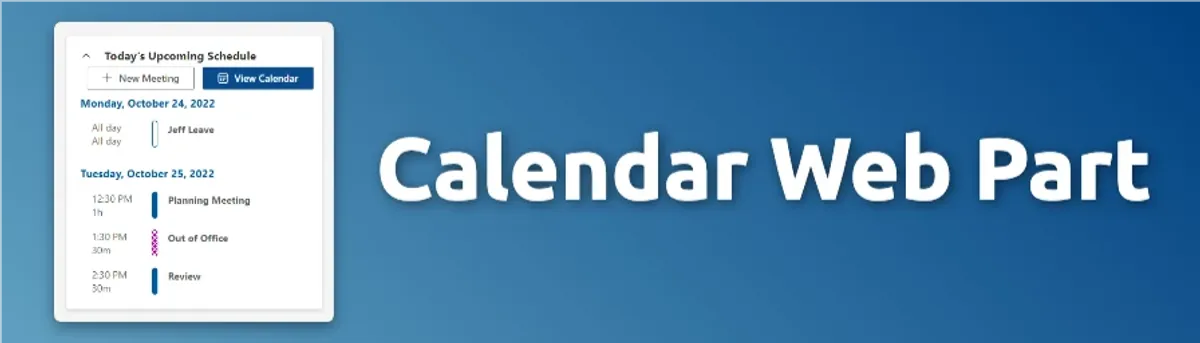
A SharePoint web part that displays the current user's upcoming events from their Outlook calendar. Users can open events, create new events, or launch the full Outlook calendar quickly from the web part.
Key Features
- Displays the current user's upcoming events from their Outlook calendar
- Users can open events, create new events, or launch the full Outlook calendar quickly from the web part
Project Progress
Overview
The Calendar Web Part was built with React, TypeScript, and Styled Components inside the SharePoint Framework.
It displayed the currently logged-in user’s upcoming events and could be added to any SharePoint page. It was initially built to be used on a highly customized SharePointlanding page tailored to each individual user.
Every user saw a different combination of web parts based on their role and permissions, and each one was personalized to surface information specific to them. This component ensured their upcoming events were front and center, right when they landed.
Technical Details
Architecture
- Frontend: React, TypeScript, Styled Components, SharePoint Framework (SPFx), Fluent UI React
- Deployment: SharePoint Online
- APIs: SharePoint REST API, Outlook API, Microsoft Graph API
Features
Feature 1: Displaying Upcoming Events
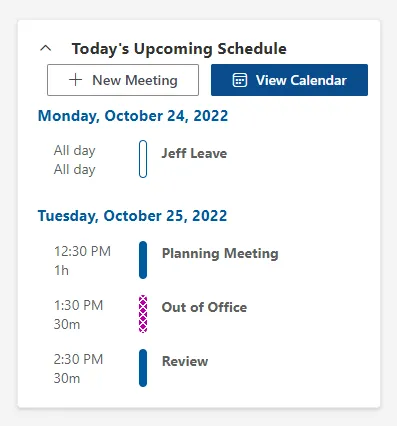
The web part could be configured to display events for a specific number of days. We generally pulled the next two days of events by default. The web part would display all the relevant information for each event including the event name, start and end times, duration, location, and a link to the event in Outlook. In fact we designed it so that it resembled something that could have been built by Microsoft for their own use.
Development Process
Challenges
- Outlook UX/UI: I needed to mimic the Outlook UX/UI so users would feel right at home using the web part. It was particularly difficult getting the user’s status to display exactly as it does in Outlook.
Conclusion
This was one of the first web parts built for a dynamic dashboard, or launch pad, we were developing at the time.
Every user landed on the same SharePoint page, but no two views were the same. Each person saw a different combination of web parts, and the content inside each one was personalized to them. It became a centralized hub where users could sign in once and immediately access the applications, tools, and information relevant to their work.
This particular web part quickly became a focal point of the larger project. Everyone cared about their upcoming events, so it naturally stayed front and center on the dashboard.